
Your team picked a labeling platform that worked well for images. Now you’re labeling sensor data: three channels, events with variable durations, boundaries that depend on context from 30 seconds earlier.
The tool shows one signal at a time. Labels can’t reference preprocessing parameters. When you resample the data, annotations break.
This is the default experience when applying image-first tools to time-series workflows. This article provides a neutral overview of sensor data annotation tools used to label multimodal time-series data, organized by design focus rather than ranking.
Why Time-Series Labeling Differs
Most labeling platforms were designed for static data—images, documents, video frames. Time-series breaks this model:
- Labels apply to intervals, not points. Events have duration and boundaries.
- Context is temporal. Meaning depends on what happened before and after.
- Multivariate context is essential. Many events require viewing multiple signals together.
- Labeling couples to preprocessing. Alignment and resampling shape the data being labeled.
Key question: is labeling treated as standalone annotation, or as part of a traceable signal-processing pipeline?
How This Guide Is Organized
| Category | Focus |
| A. Signal-centric systems | Integrated harmonization, labeling, and traceability |
| B. Time-series–native tools | Built for multivariate signals and temporal context |
| C. General-purpose platforms | Broad modality support, adapted for time-series |
| D. Industrial/scientific platforms | Sensor infrastructure with analytics |
| E. Open-source/research tools | Lightweight, focused, often anomaly-oriented |
Most production stacks combine tools from multiple categories. Pricing ranges from open-source (free) to enterprise (custom quotes).
Category A: Signal-Centric, Traceable Labeling Systems
These tools treat preprocessing, harmonization, and labeling as one workflow. Labels stay valid when pipelines evolve because transformations are tracked.
Choose this category when: Preprocessing parameters change over time. Labels must be reproducible years later. Regulatory or scientific requirements demand audit trails. Multiple heterogeneous sources must be synchronized before labeling.
Table
| Industry | Example Use Case |
| Fusion energy | Labeling plasma instabilities across 50+ diagnostics with different sampling rates |
| Aerospace | Annotating flight test data across accelerometers, strain gauges, and telemetry |
| Robotics | Fusing motor encoders, force/torque sensors, and vision for manipulation task labeling |
| Brain-computer interfaces | Labeling neural intent events across EEG/ECoG arrays synchronized with behavioral markers |
| Wearables & digital health | Annotating multimodal biosignals (ECG, EMG, accelerometer, SpO2) for clinical validation |
| Pharmaceutical | Labeling batch deviations where FDA 21 CFR Part 11 requires audit trails |
Visplore
Use case: Interactive visual analytics and labeling of multivariate time-series data
Strengths:
- Interactive multichannel visualization: View and label across synchronized, zoomable signal displays with millions of data points at interactive speed
- Pattern search: Find similar events automatically across large datasets—label one instance, propagate to matches
- Formula-based labeling: Create rule-driven labels (e.g., “label where temperature > 80°C AND pressure rising”) for consistent, repeatable annotation
- Comparative analytics: Overlay and compare signals across assets, batches, or time periods to identify deviations
- Collaboration features: Share label definitions and analyses across teams for consistency
- Reported efficiency gains: 33% reduction in labeling time vs. manual approaches (per vendor case studies with Palfinger, DRÄXLMAIER Group)
Limitations: Preprocessing and harmonization happen outside the tool—you bring already-aligned data to Visplore. ML dataset lifecycle management (versioning, export pipelines) may require complementary systems. Provenance tracking is limited to the labeling step, not the full signal chain.
Best for: Domain experts who need to see patterns before labeling them. Manufacturing quality engineers analyzing production anomalies. Process analysts in energy, chemicals, and discrete manufacturing. Teams where visual pattern recognition drives labeling decisions.
Deployment: On-premise and cloud options available.
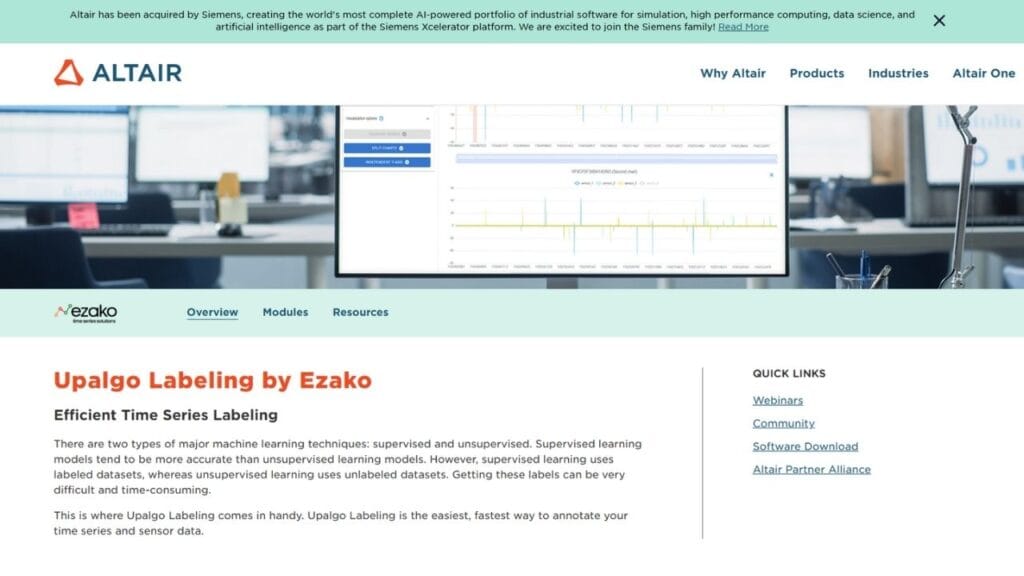
Altair Upalgo Labeling
Use case: Semi-automated labeling of industrial sensor data with pattern propagation
Strengths:
- Example-based propagation: Label one event, automatically find and label similar patterns across the dataset
- Candidate generation: AI suggests potential labels for human review, accelerating annotation
- Multivariate context: View and label across multiple signals simultaneously
- Altair ecosystem integration: Connects with Panopticon for visualization, Knowledge Studio for analytics, and other Altair tools
- Industrial focus: Built specifically for manufacturing and process industry workflows
Limitations: Preprocessing and traceability depend on surrounding infrastructure—Upalgo focuses on the labeling step. Best suited for teams already invested in the Altair ecosystem. Less flexibility for non-industrial use cases or custom integrations outside Altair’s platform.
Best for: Manufacturing and industrial IoT teams already using Altair tools. Predictive maintenance programs where pattern propagation accelerates labeling. Quality control in automotive, heavy equipment, and discrete manufacturing.
Deployment: Part of Altair enterprise platform.
Data Fusion Labeler (dFL)
Use case: Unified harmonization, labeling, and ML-ready dataset preparation for multimodal time-series
Strengths:
- Unified harmonization engine: Align, standardize, and synchronize signals from heterogeneous sources (different sampling rates, formats, timestamps) onto a common grid before any labeling begins—not as a separate step, but as an integrated part of the workflow
- No-code DSP with full control: Smooth, trim, fill, resample, and normalize using visual drag-and-drop controls. Every transformation is recorded. Engineers can also extend with custom processing via the SDK
- Flexible labeling modes: Manual annotation for precision. Statistical thresholds for simple events. Physics-informed rules for domain-specific patterns. Plug-in ML models for autolabeling. Active learning refinement that improves with each correction
- Complete provenance chain: Every transformation from raw source to final export is tracked—who did what, when, with which parameters. Datasets can be exactly reproduced months or years later, even if the preprocessing logic has changed
- Cross-facility reproducibility: Labels and preprocessing pipelines created on one experiment or site can be applied consistently to data from different sources, devices, or facilities
- Schema-aware exports: One-click export to ML-ready formats with provenance metadata intact, ready for training pipelines
- Pipeline integrity checking: Import trimmed datasets to verify large-scale backend processing before committing to full deployment
- Extensible architecture: Add custom visualizations, auto-labelers, ingestion connectors, and processing logic via SDK
Limitations: The structured workflow requires upfront investment in defining preprocessing order and harmonization rules. Teams accustomed to simple annotation-only tools may find the learning curve steeper. May be more than needed for single-signal, already-clean datasets.
Best for: Research institutions where reproducibility is mandatory. Regulated industries requiring audit trails (pharma, aerospace, medical devices). Fusion energy and plasma physics. Robotics teams fusing encoders, force sensors, and vision. BCI researchers synchronizing neural arrays with behavioral data. Clinical wearable studies requiring FDA-ready documentation. Any team where preprocessing will evolve but labels must remain valid across versions.
Deployment: Cloud-based with subscription tiers.
Category B: Time-Series–Native Labeling Tools
Built for time-series but without integrated preprocessing pipelines. You handle harmonization elsewhere, then bring prepared data here for annotation.
Choose this category when: Data is already preprocessed. Team needs purpose-built time-series UI. Open-source or lower-cost solutions are preferred. Full provenance isn’t required.
| Industry | Example Use Case |
| Consumer wearables | Labeling activity states in accelerometer data from fitness devices |
| Smart buildings | Annotating occupancy patterns in building sensors |
| Environmental | Labeling pollution events in distributed sensor networks |
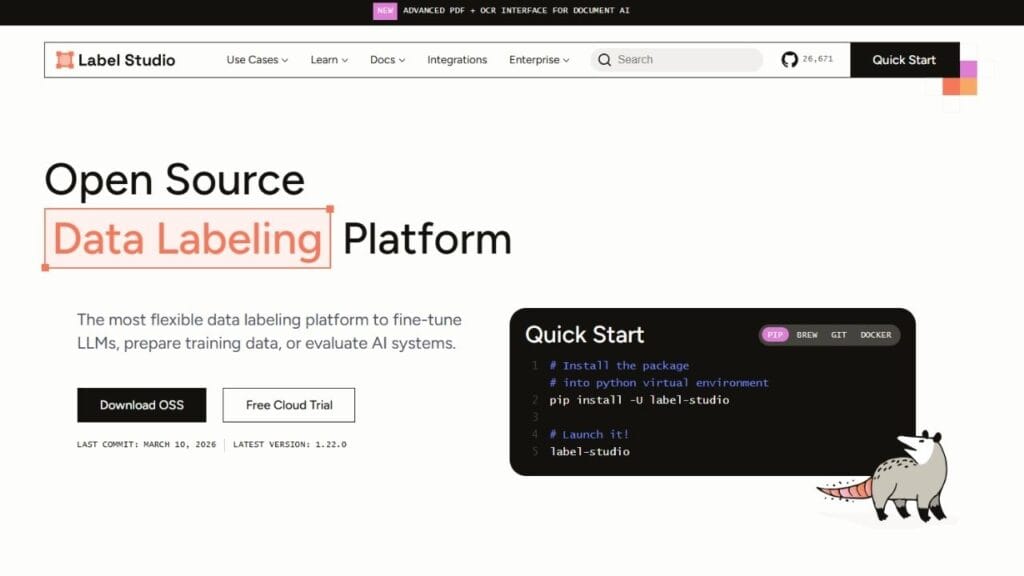
Label Studio
Use case: Customizable labeling including multichannel time-series
Strengths:
- Open-source core: Active community, enterprise option available, no vendor lock-in
- Native time-series support: Multiple channels on shared time axis with synchronized scrolling
- Flexible configuration: XML-based templates for custom annotation interfaces
- Python SDK: Automate imports, exports, and integrations with ML pipelines
- Self-hosted option: Keep data on-premise for privacy requirements
- Broad modality support: Same platform handles images, text, audio, and time-series
Limitations: Preprocessing and provenance handled externally. Configuration requires XML knowledge. Performance may degrade with very large datasets (millions of points). Complex synchronization logic must be implemented outside the platform.
Best for: Technical teams comfortable with open-source. Startups and research groups needing flexibility. Self-hosted requirements for data privacy. Teams labeling multiple data types who want one platform.
Deployment: Self-hosted (open-source) or Label Studio Enterprise (cloud/on-premise).
TRAINSET
- Use case: Interval-based time-series annotation
- Strengths: Focused GUI for event labeling. Clean interface. Low learning curve. Designed for geoscience and environmental data.
- Limitations: Limited automation. Single-channel focus. Scaling requires additional tooling. No enterprise features.
- Best for: Small teams with straightforward labeling needs. Environmental and geoscience researchers. Quick annotation projects.
- Deployment: Web-based.
OXI
- Use case: Telemetry annotation and analysis
- Strengths: Research-backed design for large multichannel datasets. Academic validation. Built for high-dimensional spacecraft telemetry.
- Limitations: Aerospace/telemetry orientation. Limited enterprise support. Research tool rather than production platform.
- Best for: Space agencies, aerospace research institutions. Academic projects with telemetry data.
- Deployment: Research software.
Grafana
- Use case: Monitoring and visualization with lightweight annotations
- Strengths: Excellent dashboards. Wide DevOps adoption. Native annotations with API access. Hundreds of data source integrations. Scales to millions of metrics.
- Limitations: Annotations are markers, not structured ML training labels. No versioning or export workflows for ML. Not designed for dataset creation.
- Best for: Operational monitoring where annotations are informational. Teams already using Grafana for observability who want to mark events.
- Deployment: Self-hosted (open-source) or Grafana Cloud.
Category C: General-Purpose Labeling Platforms
Built for scale and breadth across images, text, video. Time-series support is adapted, not native.
Choose this category when: Organization labels multiple data types. Enterprise features (SSO, compliance) are required. Time-series is secondary to vision or NLP. Managed services are preferred.
| Industry | Example Use Case |
| Autonomous vehicles | Labeling video and LiDAR where CAN bus data is secondary |
| Healthcare | Annotating images and notes where physiological monitoring is one input |
| Insurance | Labeling claim documents alongside telematics data |
Labelbox
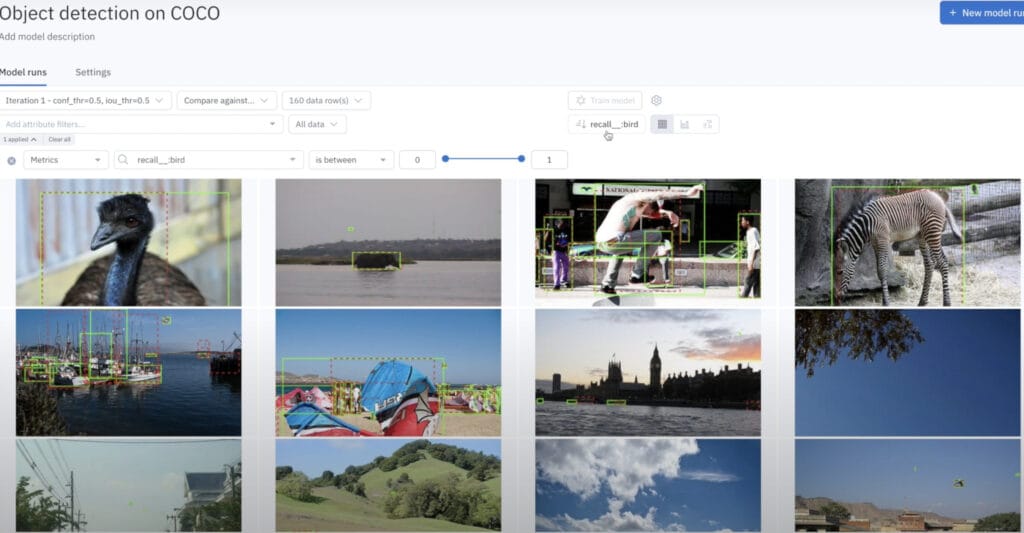
Use case: Enterprise-scale annotation across data types
Strengths:
- Collaboration tools: Review pipelines, team management, workflow automation
- Dataset versioning: Track changes to datasets over time with Catalog
- Model-assisted labeling: Use ML to accelerate annotation
- Compliance: SOC 2 Type II, HIPAA, GDPR certified
- Broad integrations: AWS, GCP, Azure, Databricks, Snowflake
Limitations: Time-series support is adapted rather than native. Signal alignment and preprocessing are external concerns. Better for video frames than continuous sensor streams.
Best for: Enterprise teams with mixed data types where time-series is one of several modalities. Organizations requiring compliance certifications. Teams preferring managed solutions.
Deployment: Cloud-based, enterprise on-premise options.
Scale AI
- Use case: Managed labeling services at scale
- Strengths: Massive workforce capacity. Quality control and calibration built in. Strong in autonomous vehicle and defense sectors. Nucleus platform for data management.
- Limitations: Preprocessing assumptions are customer-managed. Limited time-series–specific tooling. Premium pricing. Less control over labeling process.
- Best for: High-volume outsourced labeling. Defense and AV programs with large budgets. Teams without in-house annotation capacity.
- Deployment: Managed service.
SuperAnnotate
- Use case: Vision and text annotation with project management
- Strengths: Polished UI. Quality management and performance tracking. Custom workflow builder. Strong G2 ratings for usability. Annotation services marketplace.
- Limitations: Frame-based paradigm doesn’t map to continuous sensor streams. Limited multichannel signal support.
- Best for: Vision-heavy teams with occasional other data types. Teams prioritizing UI polish and project management.
- Deployment: Cloud-based.
V7
- Use case: Computer vision pipelines with automation
- Strengths: Strong auto-annotation capabilities. Medical imaging specialization (V7 Darwin). Dataset version control. Model training integration.
- Limitations: Time-series not a focus. Frame-based abstractions.
- Best for: Medical imaging (radiology, pathology). Computer vision teams wanting automation.
- Deployment: Cloud-based.
Category D: Industrial and Scientific Platforms
Backbone infrastructure for sensor data. Labeling is secondary or requires external tools.
Choose this category when: Data already lives in these systems. Primary need is operational analytics. IT/OT integration matters more than annotation features.
| Industry | Example Use Case |
| Oil & gas | Labeling equipment states in PI System historian data |
| Power generation | Annotating grid events in SCADA data |
| Chemical manufacturing | Labeling batch outcomes in process data |
OSIsoft PI System
- Use case: Industrial time-series historian
- Strengths: Decades of deployment. Handles billions of data points. Event Frames for process events. Deep control system integration (DCS, SCADA, PLCs).
- Limitations: ML labeling workflows are external. Event Frames are operational, not ML training labels. Data extraction for ML requires PI Integrator or custom development.
- Best for: Industrial facilities already running PI. Brownfield ML projects where data is in PI.
- Deployment: On-premise, cloud options via AVEVA.
Seeq
- Use case: Process analytics and diagnostics
- Strengths: Multivariate time-series analysis. Pattern recognition and condition monitoring. Self-service analytics for engineers (low-code). Integrates with PI, IP.21, and other historians.
- Limitations: Labels are analysis artifacts rather than versioned ML training data. Export workflows for ML may require customization.
- Best for: Process industries (chemicals, oil & gas, pharma). Engineer-driven analytics teams.
- Deployment: Cloud and on-premise.
AVEVA
- Use case: Industrial operations and asset analytics
- Strengths: Enterprise integration across operations technology. Unified platform from sensors to business systems. Includes former OSIsoft portfolio.
- Limitations: ML labeling pipelines require customization. Not designed as annotation tool. Enterprise sales cycles.
- Best for: Large enterprises with AVEVA-based operational technology stacks. Energy, utilities, infrastructure.
- Deployment: Enterprise platform.
Category E: Open-Source and Research Tools
Lightweight tools for prototyping, research, and focused workflows.
Choose this category when: Budget is zero. Use case is narrow (e.g., anomaly labeling only). Project is research, not production. Team is technical and can handle setup.
TagAnomaly
- Use case: Multiseries anomaly labeling
- Strengths: Microsoft-backed open-source. Designed specifically for anomaly annotation. Simple setup for focused workflows.
- Limitations: No collaboration features. Limited maintenance and updates. Requires infrastructure for production use.
- Best for: Anomaly detection research. Quick experiments. Academic projects.
Curve
- Use case: Anomaly labeling for time-series
- Strengths: Baidu-backed open-source. Lightweight web interface. Band labeling for anomalous regions.
- Limitations: Anomaly-specific, not general-purpose. Minimal documentation. Limited community.
- Best for: Quick anomaly labeling experiments. Teams familiar with Baidu ecosystem.
WDK
- Use case: Wearable sensor annotation
- Strengths: Pattern detection capabilities. Activity recognition focus. Notebook-adjacent workflow.
- Limitations: Not production-ready. Limited to wearables domain. Academic tool.
- Best for: Academic wearable research. Activity recognition studies. Human motion analysis.
Common Gaps Across Tools
Despite the variety of options, teams frequently hit the same walls:
- Limited multimodal synchronization. Few tools show multiple signals on a shared, zoomable axis with true synchronization.
- Weak preprocessing-label coupling. Resampling or filtering breaks labels. Regenerating labels after preprocessing changes is manual.
- No label versioning. “Which labels did we train on?” becomes unanswerable.
- Limited provenance. No record of who labeled what, when, with which criteria or parameters.
- Difficulty propagating labels. Finding similar events means manual work in most tools.
- Training-serving disconnect. Labels created on offline data don’t translate to real-time inference contexts.
These gaps often emerge only when pipelines scale or move toward production.
Tool Selection by Industry
| Industry | Primary Needs | Categories | Tools |
| Fusion energy | Multi-diagnostic sync, provenance, cross-facility reuse | A | dFL, Visplore |
| Aerospace | Heterogeneous sensors, audit trails, reproducibility | A, B | dFL, OXI, Label Studio |
| Robotics | Multi-sensor fusion (encoders, F/T, vision), task segmentation | A | dFL, Visplore |
| Brain-computer interfaces | High-channel-count neural sync, behavioral alignment | A | dFL |
| Wearables (clinical) | Multi-biosignal sync, FDA/regulatory compliance | A | dFL |
| Wearables (consumer) | Activity labeling, open-source, research | B, E | Label Studio, WDK |
| Pharmaceutical | FDA compliance, batch genealogy | A, D | dFL, PI System |
| Autonomous vehicles | Multi-modal, scale, managed services | C, A | Labelbox, Scale AI, dFL |
| Predictive maintenance | Historian integration, pattern propagation | A, B, D | Visplore, Upalgo, Seeq |
| Process industries | Historian integration, self-service | D, A | Seeq, PI System, Visplore |
Questions for Tool Selection
- Are labels temporal and context-dependent? → Categories A or B
- Will preprocessing evolve? → Category A (provenance required)
- Do labels need reproducible regeneration? → Look for lineage tracking
- Who needs to audit datasets? → Versioning non-negotiable
- How many signals viewed together? → Test synchronization specifically
- What’s the existing stack? → Check integrations
- Team’s technical capacity? → Open-source requires more setup
- Deployment requirements? → Self-hosted vs. cloud vs. managed service
What Comes Next
The challenge isn’t lack of tools. It’s mismatch between traditional labeling assumptions and sensor-driven ML realities.
Teams that succeed treat labeling as a pipeline concern, integrating harmonization and traceability rather than isolating annotation as a UI task.
For foundational concepts, see our articles on preprocessing order, data harmonization, time-series labeling, and ML readiness.
Pingback: Preparing Real-World Sensor Data for Machine Learning
Pingback: Sophelio Launches Data Fusion Labeler (dFL) to Accelerate Sensor Data Preparation for Machine Learning | lifestyle.nextmentors.com
Pingback: Sophelio Launches Data Fusion Labeler (dFL) to Accelerate Sensor Data Preparation for Machine Learning | lifestyle.jardal-paintball.com
Pingback: Sophelio Launches Data Fusion Labeler (dFL) to Accelerate Sensor Data Preparation for Machine Learning | lifestyle.paraskevas.net
Pingback: Sophelio Launches Data Fusion Labeler (dFL) to Accelerate Sensor Data Preparation for Machine Learning | lifestyle.hungrybear.net
Pingback: Sophelio Launches Data Fusion Labeler (dFL) to Accelerate Sensor Data Preparation for Machine Learning | lifestyle.mediatrainingforceos.com
Pingback: Sophelio Launches Data Fusion Labeler (dFL) to Accelerate Sensor Data Preparation for Machine Learning - lifestyle.cosmeticsurgeryinsider.com
Pingback: Sophelio Launches Data Fusion Labeler (dFL) to Accelerate Sensor Data Preparation for Machine Learning | lifestyle.getpetsavvy.com
Pingback: Sophelio Launches Data Fusion Labeler (dFL) to Accelerate Sensor Data Preparation for Machine Learning | lifestyle.inspiredn.com
Pingback: Sophelio Launches Data Fusion Labeler (dFL) to Accelerate Sensor Data Preparation for Machine Learning | lifestyle.d-h.st